


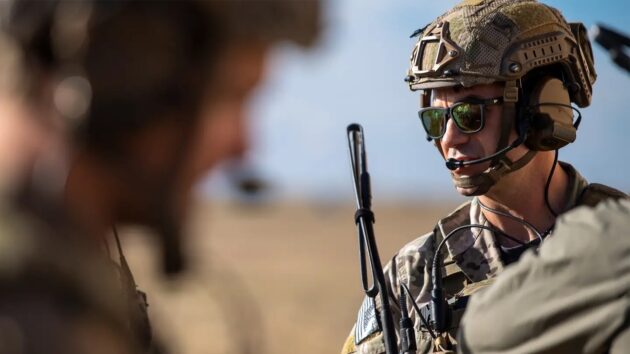
The U.S. military’s special operations forces (SOF) are home to some of the most highly trained soldiers, sailors, Marines, and airmen in the world. They must undergo grueling assessments and selections before they make it into one of the prestigious SOF units under the umbrella of the U.S. Special Operations Command (SOCOM).
But exactly how big is a SEAL team? Are Army Rangers the largest unit in SOCOM? How does MARSOC, a relative newcomer to the SOF world, compare in size? Cold, hard numbers aren’t easy to come by, but they do exist.
Each unit’s assessment and selection allows only the best to serve within their ranks, so only a few graduate out of the many that try out. That’s why there are not hundreds of thousands of service members in each SOF unit, but numbers alone don’t explain why they are elite. Special operations units are masters of the fundamentals of warfare, and they generally have better funding, better training, fewer restrictions, and a near carte blanche to select the very best while getting rid of anyone who no longer maintains the standard.
We aren’t discussing the number of personnel in units that fall under the secretive Joint Special Operations Command, as that information is still a close-held secret. But almost everyone else? We got you.
How many Navy SEALs are in a SEAL team?
The U.S. Navy’s Navy Special Warfare Command (NSW) is staffed by both SEALs and their sister unit, the Special Warfare Combatant-Craft Crewmen. As of Nov. 2023, there are over 10,000 people assigned to NSW, comprised of SEALs, SWCC, civilian employees, and Navy Reserve personnel.
There are ten different Navy SEAL teams. Each team is composed of a headquarters element and eight 16-man SEAL platoons. Odd-numbered teams 1, 3, 5, and 7 are assigned to NSW Group One in Coronado, California, while the even-numbered teams 2, 4, 8, and 10 are under NSW Group Two in Little Creek, Virginia.
An O-6 Navy Commander generally commands a SEAL team, and an O-3 commands each platoon. As of November 2023, approximately 2,900 active duty Navy SEALs are assigned to NSW, and around 200 SEALs are on Reserve or Selected Reserve status.
To earn the SEALs’ coveted trident, sailors must undergo a grueling training pipeline starting with the notoriously difficult BUD/S course.
How many Green Berets are in an A-Team?
U.S. Army Special Forces break down into active duty groups numbered 1, 3, 5, 7, and 10. 19th and 20th Groups are on the U.S. Army National Guard side. Each group has a Headquarters and Headquarters Company, a Group Support Battalion, four Special Forces Battalions, and a Battalion Support Company.
Each group contains around 1,100 Green Berets who have endured the 12 to 24 months long Special Forces Qualification Course (SFQC) after they were selected during Special Forces Assessment and Selection (SFAS). The length of the SFQC can vary by military occupational specialty (MOS). The support staff — who are not authorized a Special Forces tab or green beret — brings each group’s number up to approximately 3,000.
It’s important to understand that not everyone assigned to a group has earned the “long tab.” Support personnel cover down on a range of functions like counterintelligence and other capabilities. That’s not to be confused with the other Army SOF units, Psychological Operations and Civil Affairs, that may attach to an ODA during deployments and training.
Within each Special Forces battalion, there are six Special Forces Operational Detachments – Alpha (ODA), also known as an A-Team or SFOD-A. When fully staffed, Each A-Team is comprised of 12 soldiers: the team leader (usually a captain), a warrant officer who is the assistant commander, the team sergeant (usually a master sergeant), an intelligence sergeant, then two weapons sergeants, two medical sergeants, two communications sergeants, and two engineer sergeants.
Green Berets cross-train so that each member of an A-Team knows how to do another’s job — or multiple other jobs. It’s a testament to the highly diverse capabilities they bring to the battlefield.
They are supported by a 12-soldier Special Forces Operational Detachment – Bravo (SFOD-B), and one Special Forces Operational Detachment – Charlie (SFOD-C, or ODC) is the command and control element over the whole battalion.
How many Army Rangers are in the 75th Ranger Regiment?
Not to be confused with soldiers from across the military who have graduated Ranger School and returned to their units, Rangers are the premiere special operations direct action raid force. They are also among the only SOF units to make their support personnel undergo the same selection process as their “shooters.” So, everyone assigned to the 75th Ranger Regiment has attended either Ranger Assessment and Selection Program 1 or 2, and earned the prestigious Ranger Scroll and tan beret.
Staff sergeants and above will attend RASP 2, while sergeants and below will attend RASP 1, which has a historical attrition rate of 47%. RASP 2 has a 28% attrition rate, but it should be noted that most soldiers attending RASP 2 are already serving in the 75th, and are assessing for a higher leadership role in the Regiment. Once you graduate, you don a tan beret and are assigned to one of five battalions. As of November 2023, just over 3,500 Rangers are assigned to the 75th Ranger Regiment.
There are five battalions:
- 1st Ranger Battalion
- 2nd Ranger Battalion
- 3rd Ranger Battalion
- Regimental Special Troops Battalion
- Regimental Military Intelligence Battalion
Additionally, there is a Headquarters and Headquarters Company, which oversees the entire 75th Ranger Regiment.
There are generally four companies per battalion. Each line battalion is staffed by approximately 800 Rangers assigned to one of three rifle companies: A, B, or C. D company was originally a fourth rifle company but now is home to the specialty platoons like snipers and the mortar section, among others.
The Regimental Special Troops Battalion, Regimental Military Intelligence Battalion, and the Headquarters Company are staffed differently than the line battalions, and numbers fluctuate.
How many Marine Raiders are there?
Marine Raiders are organized as a single regiment comprising three battalions. The 1st, 2nd, and 3rd Raider Battalions rotate as the responsible party for conducting operations under AFRICOM, CENTCOM, and INDOPACOM.
Maj. Timothy Irish said approximately 1,000 Marine Raiders currently serving have undergone assessment and selection, including officers and enlisted. They are assigned throughout the three battalions. Marine Special Operations Command (MARSOC) is staffed by 3,500 personnel in a variety of support roles. All sailors and Marines assigned to MARSOC are referred to as a Marine Raider, regardless of whether they have attended the assessment and selection process.
How many Air Force Combat Controllers and Pararescuemen are there?
Air Force Combat Controllers, known simply as CCTs, go through one of the most challenging training pipelines available in the U.S. military. Airmen undergo over two years of training to become one of the most lethal assets on the battlefield. CCTs can call in pin-point air strikes from fighter jets, naval gunfire, or even nuclear warheads.
There are approximately 660 CCTs on active duty, and in the Air National Guard and Air Reserve. They have a unique job that routinely takes them into the joint special operations environment throughout their entire career. They can be assigned to a Ranger strike force on one deployment and deploy with a SEAL platoon the next.
Pararescuemen, regularly referred to as PJs, endure arguably equally challenging training as their CCT brothers. They also can be attached to other SOF units or work independently on combat search and rescue missions out of various locations state-side and overseas. There are over 800 PJs on active duty, in the Air National Guard, or in reserve status.
Some PJ units are assigned to special tactics squadrons in the Air Force Special Operations Command (AFSOC), while others are assigned to Guardian Angel units. These specialized units are comprised of Combat Rescue Officers, Pararescuemen, Survival, Evasion, Resistance, and Escape (SERE) Specialists, and other uniquely trained support personnel.
AFSOC breaks down into one active component Special Operations Wing, two active Special Operations Groups, one active Special Tactics Group, and two reserve Special Operations Wings. You can learn more about the infrastructure of all the different units under AFSOC here.
FAQs about special operations forces
You have questions, Task & Purpose has answers.
Q: Are there any female special operators?
A: There are both female Rangers and Green Berets. Capt. Kate Wilder was the first female to earn the coveted Special Forces “long tab” of the Green Berets. Multiple women have graduated from RASP and served in the 75th Ranger Regiment as well.
Q: How do you become a Special Forces soldier?
A: It depends on what your actual goal is. If you want to join the ranks of Army Special Forces, then you must graduate from Special Forces Assessment and Selection (SFAS) and the subsequent Special Forces Qualification Course (SFQC).
Q: What are special operations forces?
A: Special operations forces, or SOF, is a general term that describes the various special operations units and personnel assigned to the U.S. Special Operations Command (US SOCOM).
Q: What SOF unit has saved the most SEALs?
A: Rangers have rescued SEALs more times than anyone can remember. Rangers lead the way.
https://taskandpurpose.com/military-life/special-operations-forces-numbers/
Leave a Reply
You must be logged in to post a comment.